


.svg)

Overview
If you sell through UltraCart, you can connect your storefront to Everflow and automatically track every order back to the partner, affiliate, or campaign that drove it — with no pixel to place and no postback to write.
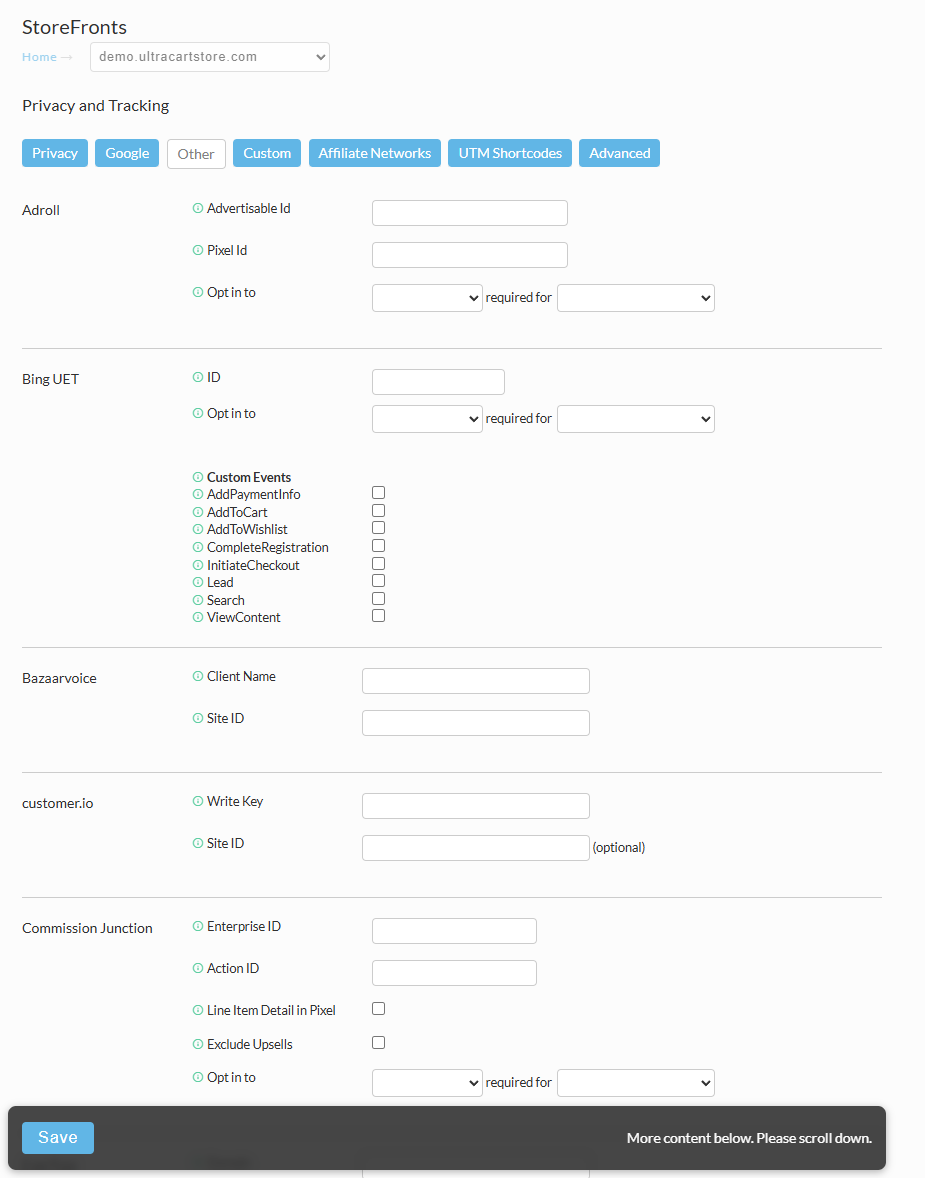
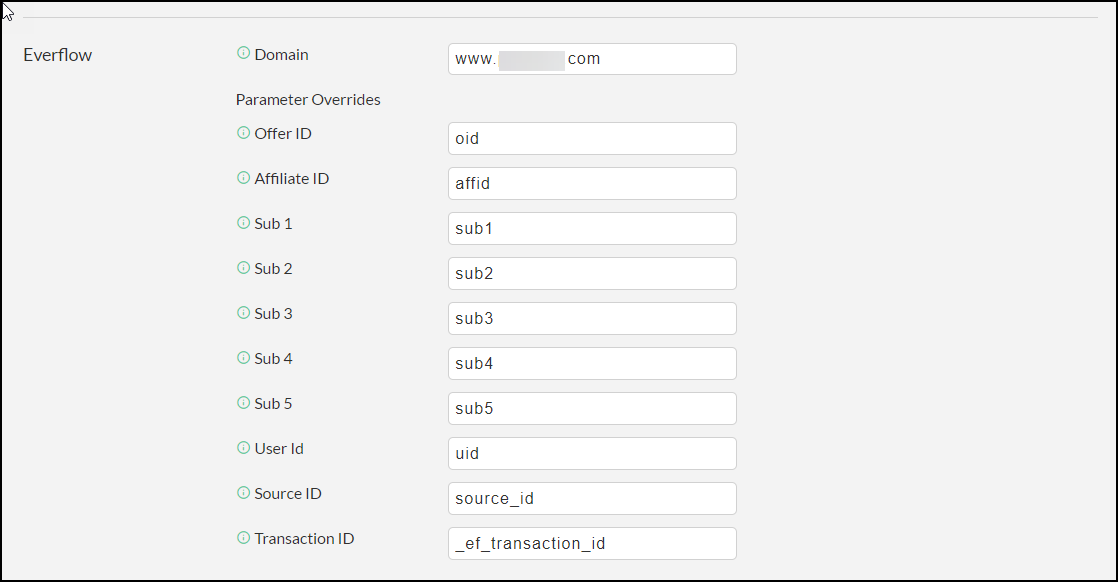
UltraCart has a built-in Everflow integration. Once you turn it on and fill in a few fields, UltraCart watches your incoming traffic for Everflow's tracking data, remembers it through checkout, and sends the completed order straight to Everflow after payment. You get accurate conversion tracking, your upsell and subscription revenue is captured, and your partner payouts are calculated automatically.
➤ Upsell & subscription revenue captured: One-click upsells can fire as their own events, and recurring orders keep reporting against the partner who won the customer.
➤ Partner payouts automated: Every tracked order flows into Everflow's Conversion Report, so commissions are calculated from real sales data.
How the Integration Works
The integration relies on Redirect Linking — the same click-tracking method that carries a partner's referral through to your store. Here is the flow in plain terms:
Because the Transaction ID travels on the link and the conversion is fired server-side, you do not place a tracking pixel and you do not write your own postback. You can review each hand-off between UltraCart and Everflow in UltraCart's Integration Logs.
To learn more about how Everflow captures and stores these IDs, see Understanding Transaction and Conversion IDs and Understanding Tracking with Server-to-Server Postbacks.
Before You Begin
Make sure you have the following ready:
Step-by-Step Setup

What Gets Tracked
Once the integration is live, here is how UltraCart orders map to Everflow:
Use Cases
Running affiliate or influencer promos
Your partners send traffic to your UltraCart store through their Everflow tracking links. Each sale is tied back to the partner who earned it, so their commission is calculated from real orders — no spreadsheets, no manual reconciliation.
One-click upsell funnels
Your funnel offers a one-click upsell after the initial purchase. Map an advertiser event id to that upsell, and each accepted upsell reports in Everflow as its own event — so you can see not just how many base orders a partner drove, but how much upsell revenue followed.
Subscription and recurring orders
A partner sends a shopper who signs up for a recurring order. The first order is tracked as your base conversion against that partner, giving you clear visibility into which partners bring in subscription customers.
Testing and Finding Your Data
Confirm everything is wired up correctly before you go live:
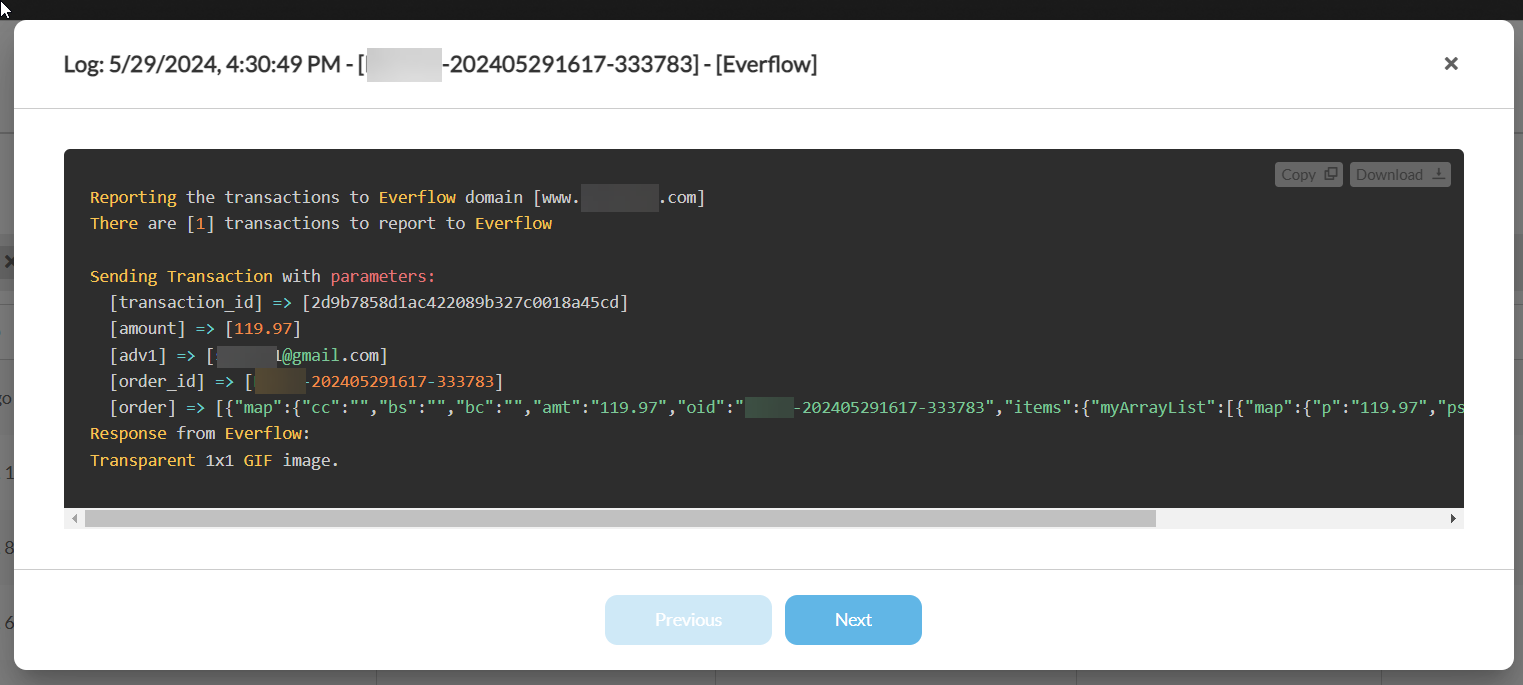
For step-by-step verification guidance, see Testing Conversion Tracking and How to Test Partner Postbacks.
Frequently Asked Questions
Troubleshooting Checklist
If conversions are not showing up in Everflow, work through this list:
Need Help?
If orders still are not tracking after the checklist above, contact our Customer Success team with your offer ID, tracking domain, and a sample order id, and they will help you pinpoint the issue.


