


.svg)

Overview
When a payment is approved in Everflow Pay, the Accounting Integration automatically creates the matching records in your accounting software — no manual data entry needed. This article explains what gets created, when it happens, and the rules that govern every sync.
A note on terminology: Everflow Pay calls these "Invoice" and "Payment" in the interface. Your accounting software (QuickBooks, NetSuite, Xero) calls them "Bill?" and "Bill Payment?." They're the same thing.
One more word worth knowing: a sync is a record Everflow Pay sends to your accounting software — a Bill or a Bill Payment. That's what this article is about, and it's what the Syncs tab lists. Separately, Everflow Pay refreshes your vendor and account lists from your accounting software so you can map your Payees. Refreshes run in the background and we email you when they're done — see Keeping Your Vendor and Account Lists Up to Date below.
What Gets Created — and When
Every payment triggers a two-step sync:
Once both steps complete, the Bill balance is $0 — fully reconciled.
The Two-Step Sync Process
The Golden Rule: One Invoice = One Bill = One Bill Payment
Everflow Pay does not allow partial payments. Every invoice is always paid in full, which means:
- Every Bill has exactly one Bill Payment
- Bills are always fully reconciled — balance always $0
- Every Bill and Bill Payment is tagged with EF_INVOICE_ID_{#} in the memo field, so you can trace any record in your accounting software back to the original Everflow Pay invoice
What Triggers a Sync — and What Doesn't
Everything in this section is about syncs — the Bills and Bill Payments we send to your accounting software. Refreshing your vendor and account lists works differently, and is covered further down.
Triggers a Sync
- Payment approved in Everflow Pay → Bill created
- Payment successfully processed → Bill Payment created
Does NOT Trigger a Sync
- Invoice approved on the Core Platform? — the accountant still needs to approve it in Everflow Pay (these are two separate approvals)
- "Mark as paid" override in Everflow Pay
- Payments processed before you connected your accounting software — these won't sync retroactively and may need manual reconciliation
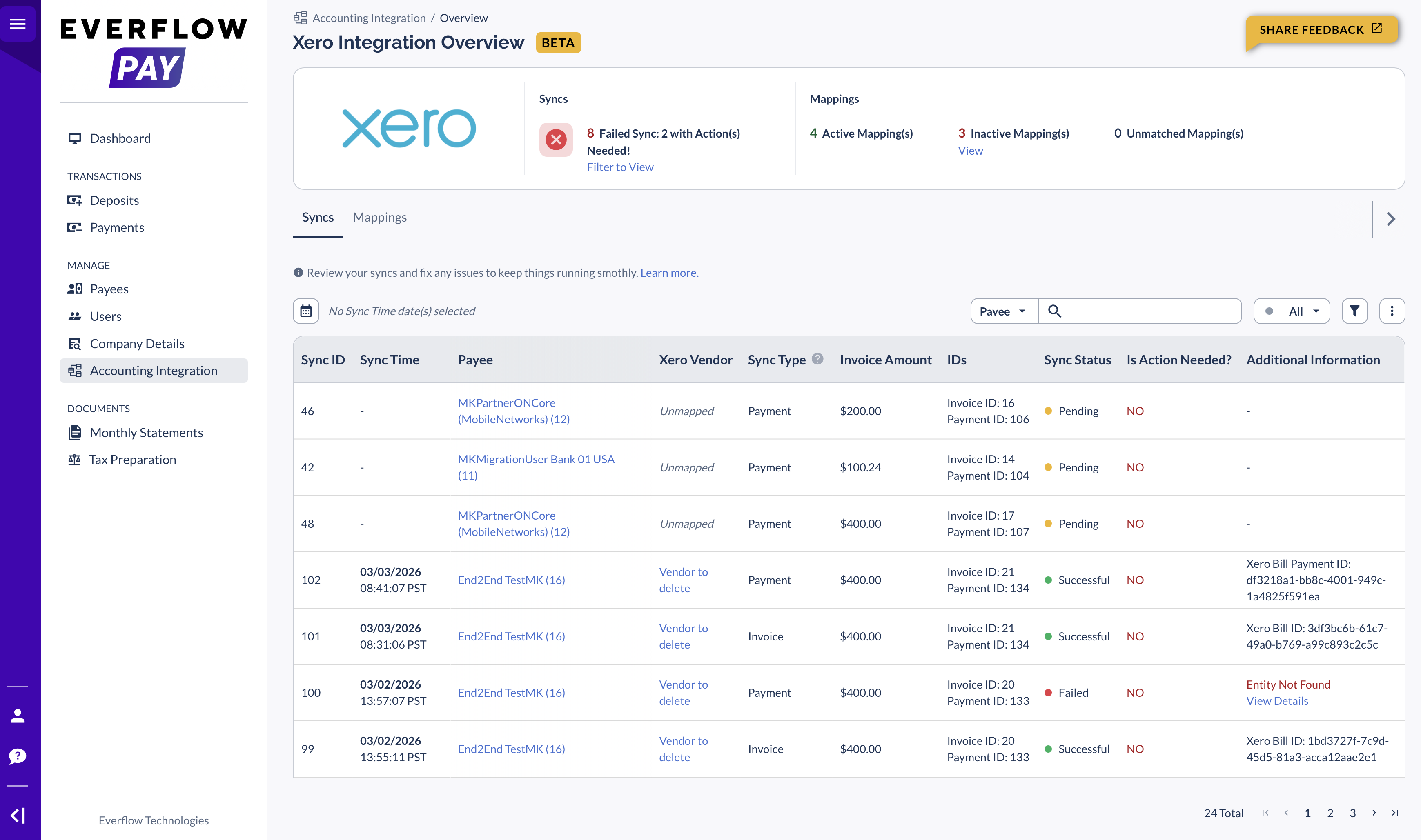
How Long Does a Sync Take?
Syncs happen in the background — you don't need to wait around.
- Immediately on approval — the payment enters a "Ready" queue
- Within a few minutes — a background process sends the data to your accounting software
Exact timing depends on queue volume, but most syncs complete within minutes. Refreshing your vendor and account lists is a separate job with its own timing — that's covered next.
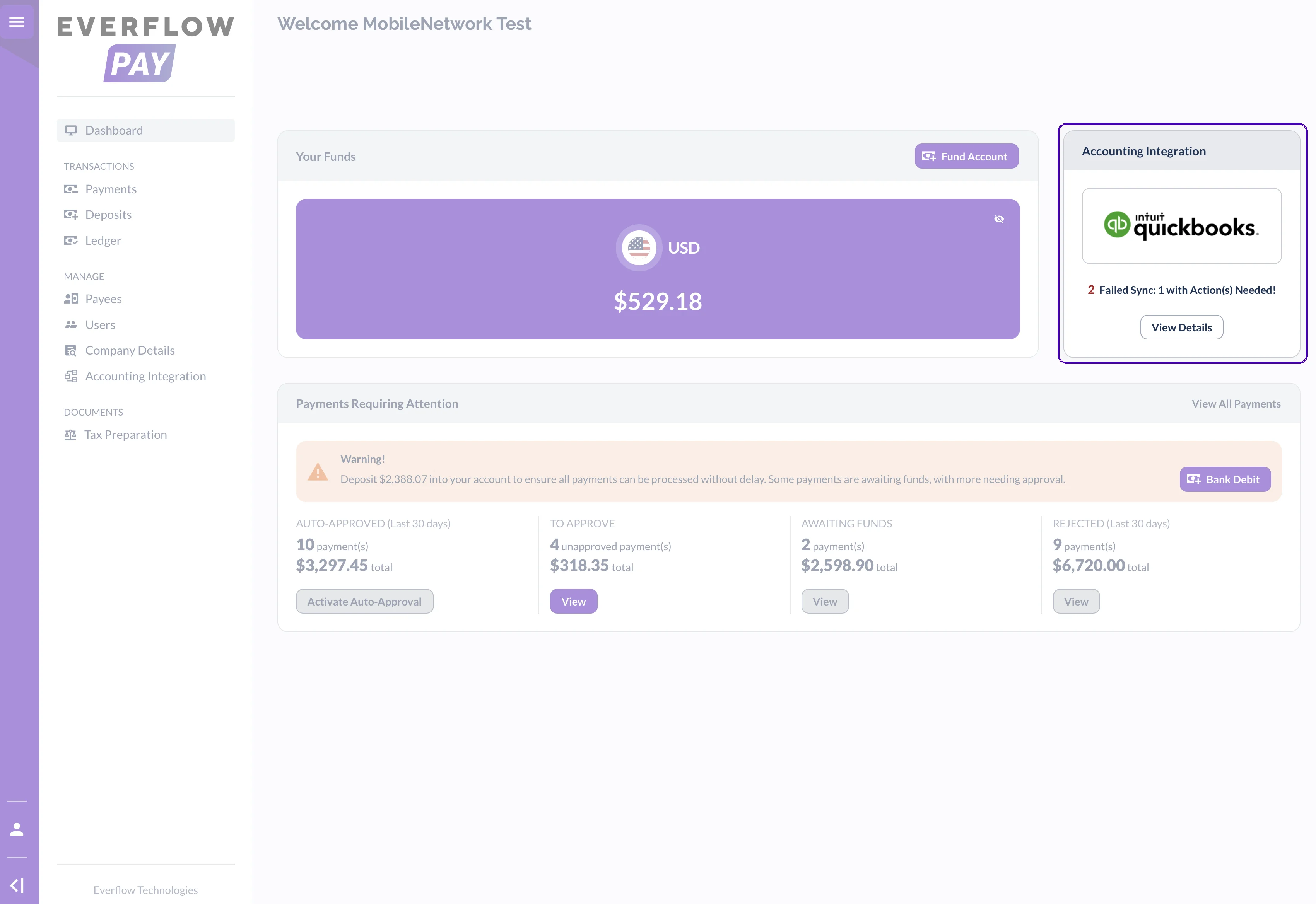
Keeping Your Vendor and Account Lists Up to Date
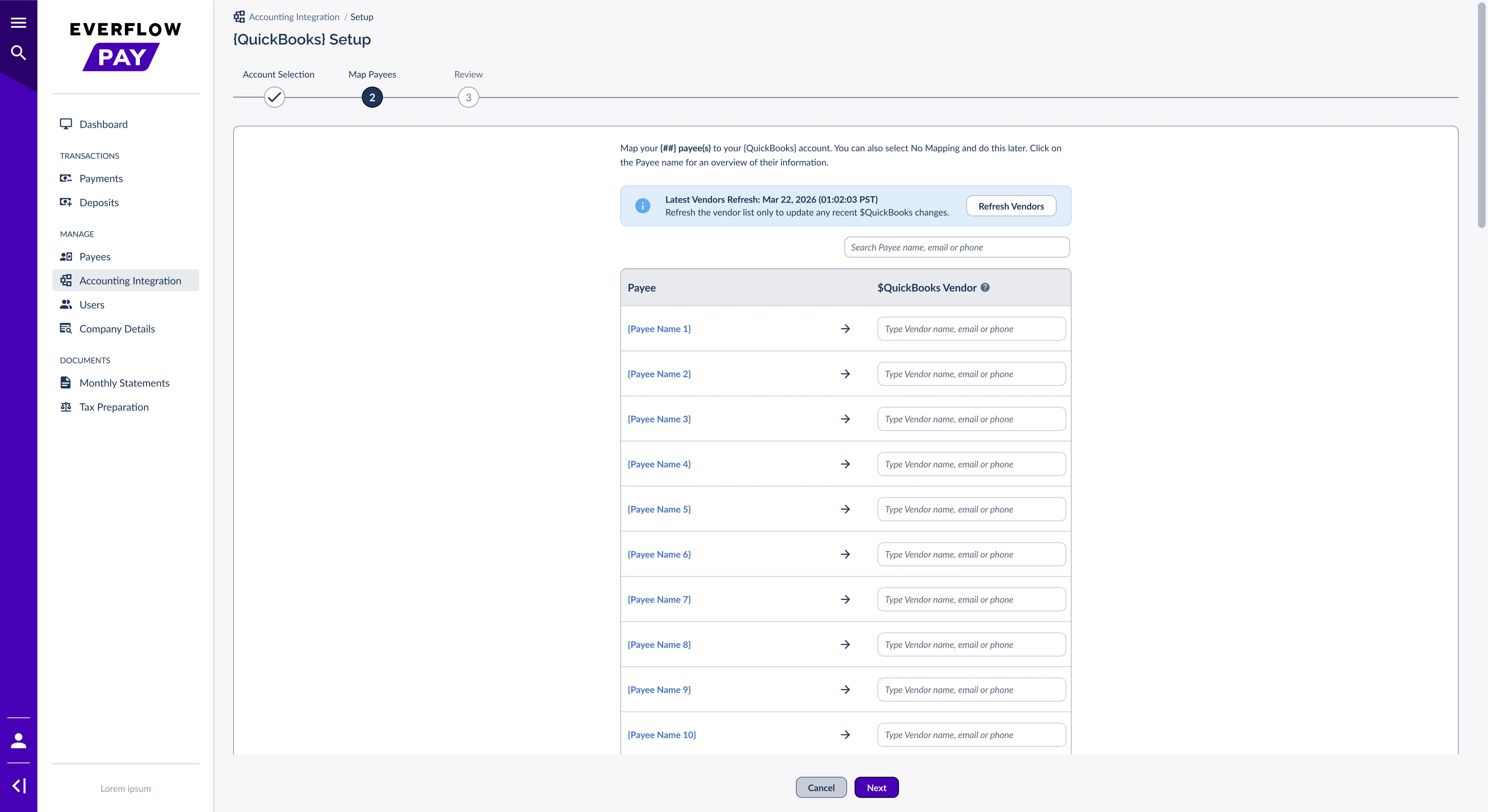
Before Everflow Pay can create a Bill, it needs to know which Vendor in your accounting software each Payee belongs to. To make that possible, Everflow Pay pulls two lists from your accounting software: your vendors and your ledger accounts.
This happens automatically the first time you connect, and you can refresh either list whenever something changes on your side — a new vendor, a renamed account. You'll find Refresh Vendors and Refresh Accounts wherever those lists appear.
What You'll See While It Runs
Connecting, refreshing your vendors, and refreshing your accounts all behave the same way, so once you've seen it once you'll recognise it everywhere.
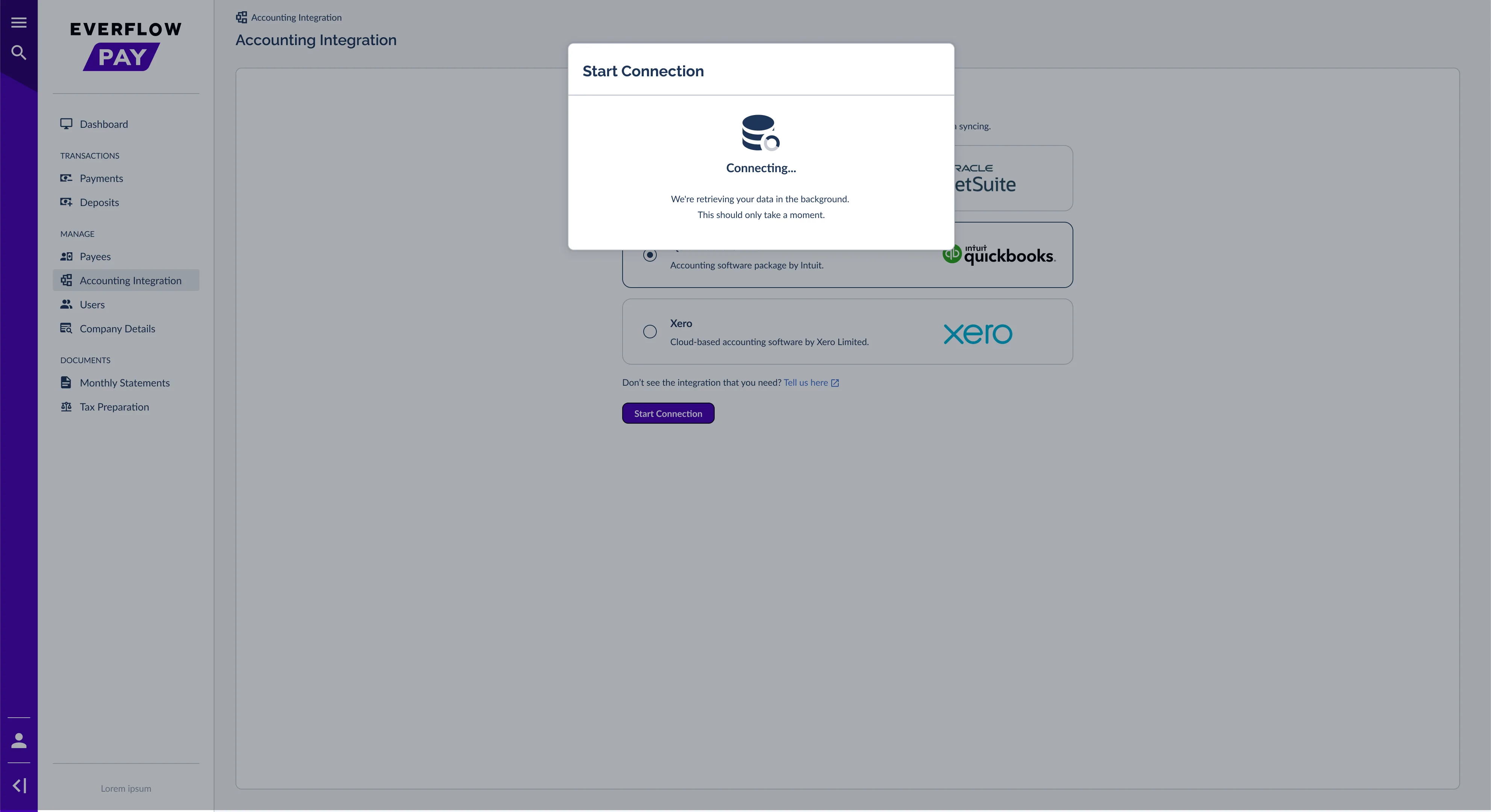
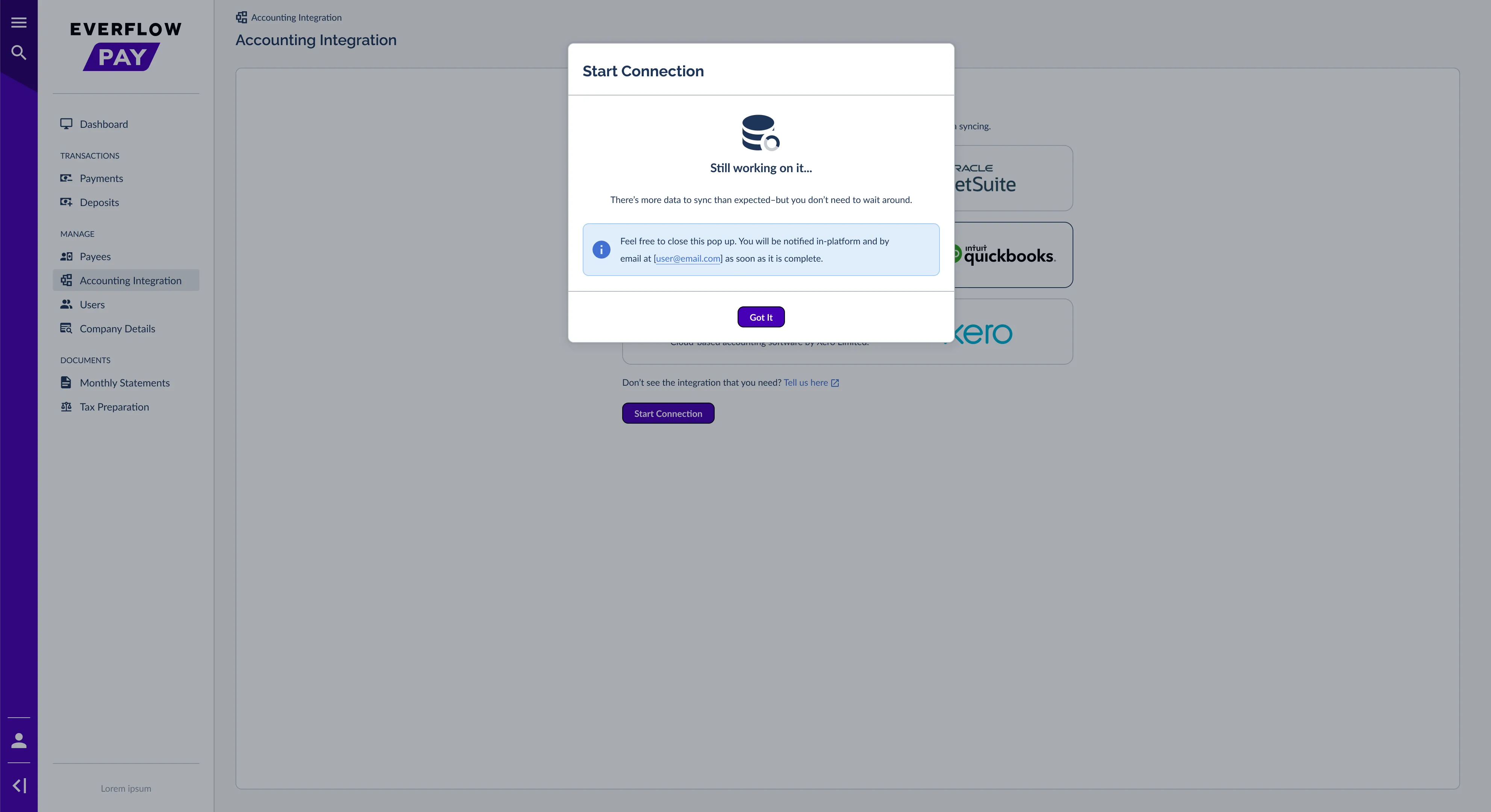
Seeing When a List Was Last Refreshed
Wherever you can refresh a list, Everflow Pay shows you when it last happened — for example Latest Vendors Refresh: Mar 22, 2026. While a refresh is running, that line reads In progress… and the refresh button is unavailable until it finishes, so you can't accidentally start the same job twice.
If a Refresh Doesn't Finish
Refreshes can fail for ordinary reasons — expired credentials, or a temporary problem at your accounting provider. You'll see it in two places:
- In the window you were using — a message explaining that your data couldn’t be retrieved.
- On the page itself — a banner letting you know we couldn’t retrieve your data, with a Contact Us button.
For a walkthrough of each error and how to clear it, see Fixing Accounting Sync Errors In Everflow Pay and Fixing Accounting Connection Errors In Everflow Pay.
What Happens When a Payment Fails and Is Retried?
If a payment is rejected (e.g., incorrect banking details) and re-submitted:
- A new sync attempt is created for the retry
- It references the same Invoice ID as the original
- Only one Bill and one Bill Payment are ever created per invoice — no duplicates in your books
Quick References

Payment approved in Everflow Pay (creates a Bill), then payment successfully processed (creates a Bill Payment).
No — only Everflow Pay approval does. The Core Platform and Everflow Pay are separate instances with separate approval workflows.
No — the "Mark as paid" override does not create any accounting records.

Within a few minutes. The payment enters a "Ready" queue immediately on approval and a background process sends the data shortly after.
No — always 1 Bill = 1 Bill Payment for the full amount. Everflow Pay does not support partial payments.

No — only payments approved after setup will sync. Payments processed before connecting may need manual reconciliation.

Search the memo field for EF_INVOICE_ID_{#}. Every Bill and Bill Payment includes this tag linking it to the original Everflow Pay invoice.
No — the same Invoice ID is used. Only one Bill per invoice is ever created, regardless of how many payment attempts are made.
The bill date is set to the end of the billing cycle. For example, if an invoice's billing cycle runs from March 1st to March 31st, the bill date will be March 31st.
No sync is attempted for that Payee. You need to map the Payee to a Vendor first.
No. Refreshes run in the background — close the window and keep working. Everflow Pay emails you when your data is ready, and emails you if something needs your attention.
Usually just a moment. If there's more data than expected, the message changes to let you know it's still running, and you'll get an email when it's done rather than having to watch it.
A sync is a record Everflow Pay sends to your accounting software — a Bill or a Bill Payment. A refresh pulls your vendor and account lists from your accounting software so you can map your Payees.
You'll see a message in the window and a banner on the page, and you'll get an email. Refreshes aren't something you can retry yourself, so use Contact Us on the banner and the Everflow Pay team will sort it out.
→ Checking Sync Status In Everflow Pay — Where to monitor sync health day-to-day
→ Fixing Accounting Sync Errors In Everflow Pay — What to do when a sync fails
→ Connecting Your Accounting Software To Everflow Pay — Initial setup
→ Understanding & Managing Payee-To-Vendor Mapping In Everflow Pay — Mapping management


