


.svg)

Overview
Paying your partners happens in two quick steps: you select the invoices and start the payment in Everflow, then give the final approval in Everflow Pay to release the funds. Here’s the whole flow, start to finish.
Why two steps? The first approval lines the payment up; the second releases it. That gap is deliberate — it gives you one last chance to catch a wrong amount or an unintended invoice before any money actually leaves your account.
What's Changed
▼
July 1, 2026 Updated
Added a note that Payment Auto-Approval can automatically complete the Everflow Pay approval step for selected payees.
Before You Start
You’re working in your Everflow (Core) platform, where you approve invoices.
Your Everflow Pay balance can cover the invoices you’re paying. New here? See Funding your Everflow Pay account.
Step 1: Select and Initiate the Payment in Everflow
1
Find Your Invoices
Make sure you are using your main Everflow account (Everflow Core Platform)
Navigate to
Affiliates/Partners -> Invoices
Select invoices for payment:
Choose
Select All
for bulk processingOr individually select specific invoices using checkboxes
2
Start the Payment
Make sure you have only selected Unpaid invoices (you can use Status filters)
Click the
Actions
dropdown menuSelect
Approve & Pay
Review confirmation screen
Approve initial payment selection
Step 2: Approve and Release in Everflow Pay
2
Approve Your Payments
Method 1:
Navigate to Payments
Select invoices using checkboxes (or go to
To Approve
tab)Click
Actions
Choose
Approve Invoices
Method 2:
Select
Approve Invoices
at the end of every invoice rowIf your balance can’t cover an approved payment, it waits in Awaiting Funds and processes automatically once you fund — no need to re-approve it
All invoices require two-step approval
Bulk or individual processing available
You can make changes before your final approval
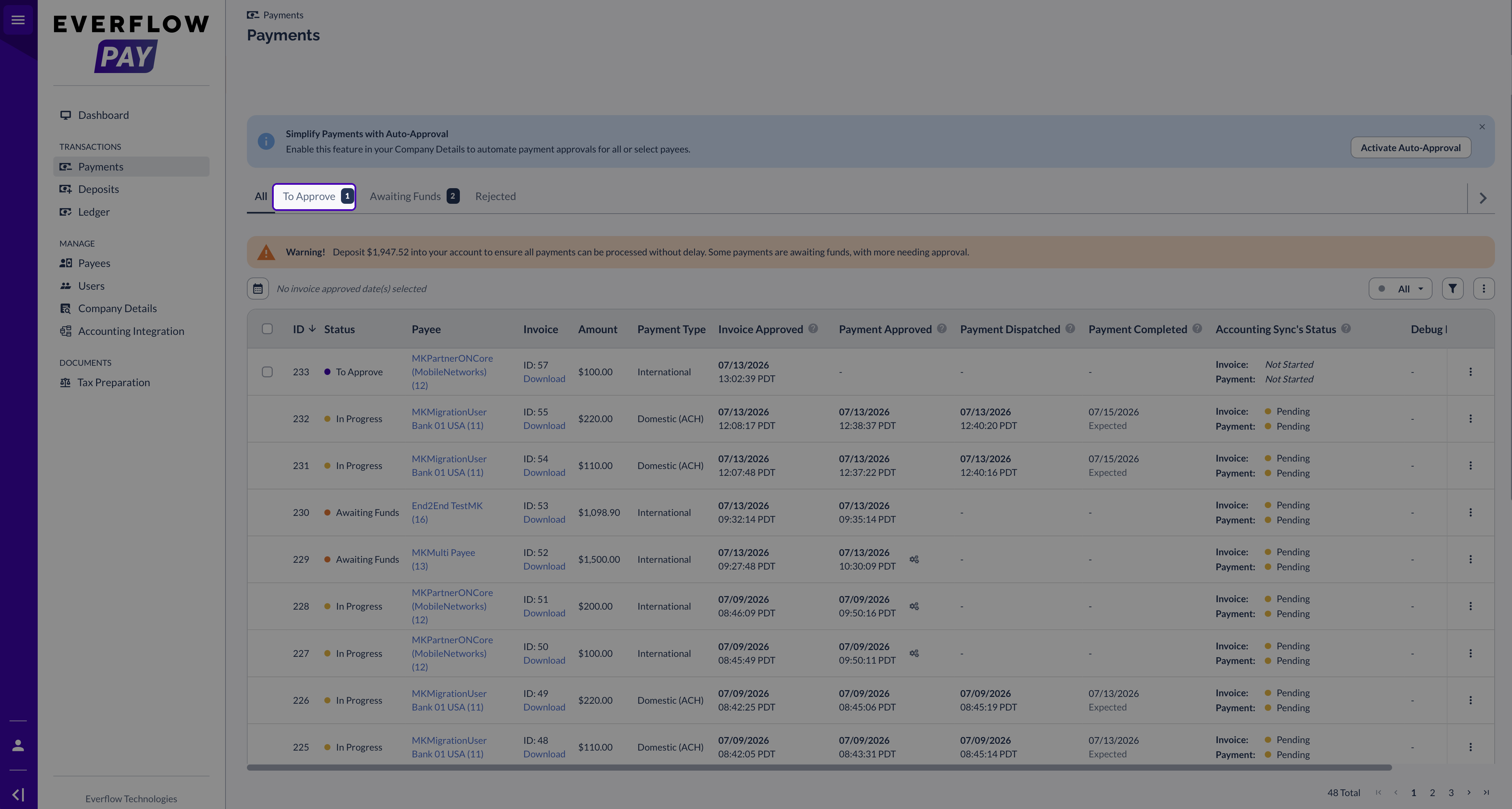
Confirm Your Payment Went Out
Once you give the final approval, the payment is released from your Everflow Pay balance and sent to your partner. You can follow each payment through its statuses any time on the Payments page in Everflow Pay.


