


.svg)

Overview
Magento 2 is an eCommerce platform allowing merchants to sell their products digitally. For more information about Magento 2- [Click Here]
This integration relies on a 3rd party extension from Plumrocket. Therefore, Everflow facilitates the integration as follows:
- You need to acquire a Plumrocket account on your own outside of Everflow. We do not purchase or provision Plumrocket access on your behalf.
- You configure your Plumrocket extension within Magento 2. For documentation on how to install the extension - [Click Here]. Let us know if you prefer Everflow pays Plumrocket on your behalf to install the extension.
- You activate the integration with Everflow within Magento 2.
This guide will walk you through the final step listed above: activating the integration with Everflow inside Magento 2.
Step-By-Step Guide
Step #1
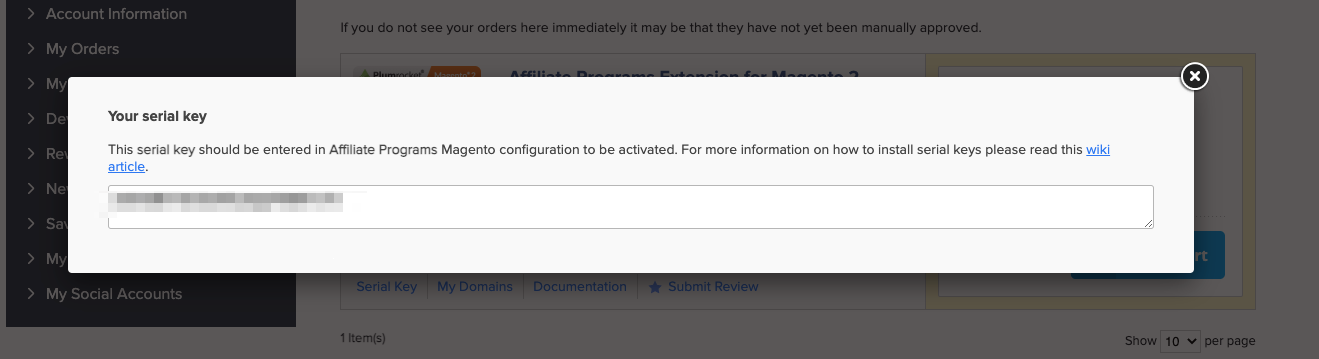
Login to your Plumrocket account, click on My Downloads, then click Serial Key.

Copy the Serial Key, as you will need it later to complete the configuration.
Step #2
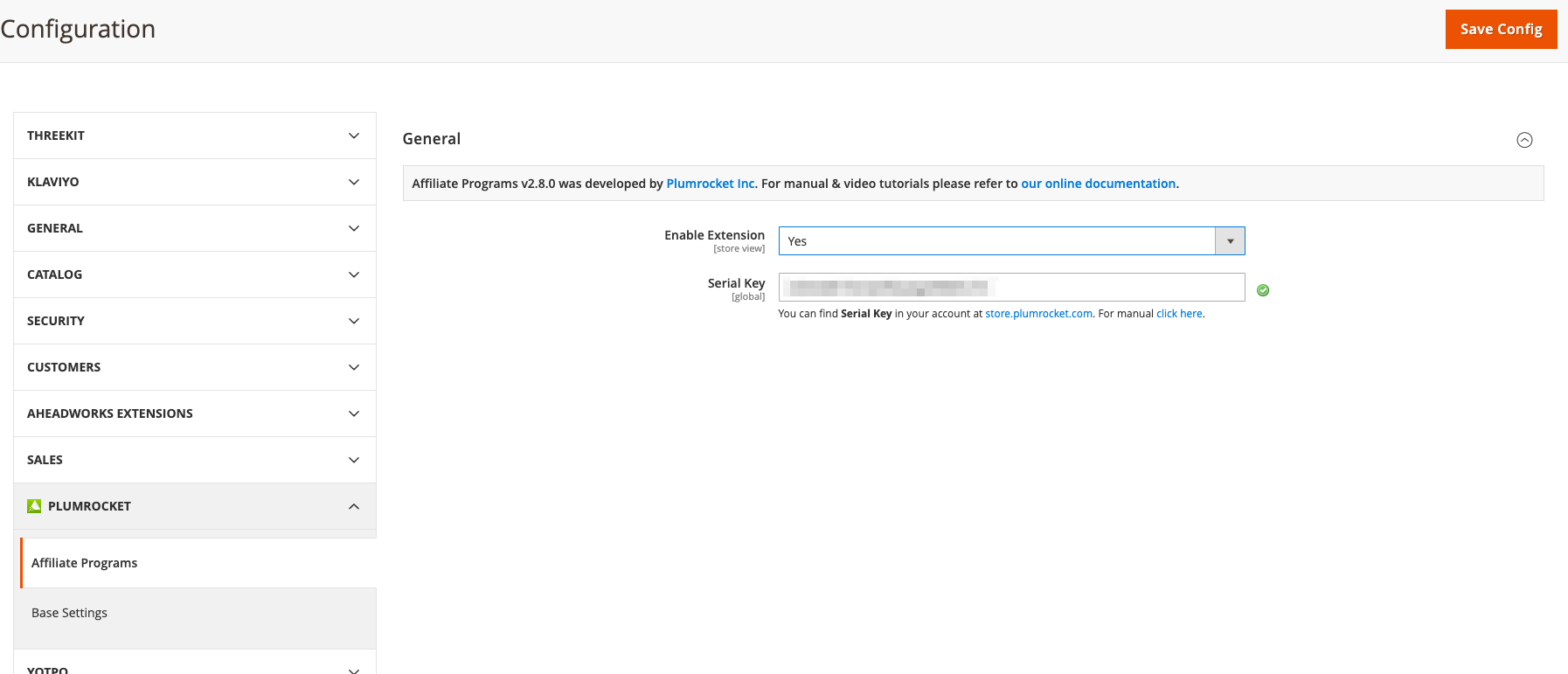
Login to Magento 2. Click Configuration.

Select Yes for Enable Extension and enter your Serial Key, then click Save Config.
Step #3
Click Manage Affiliate Programs.

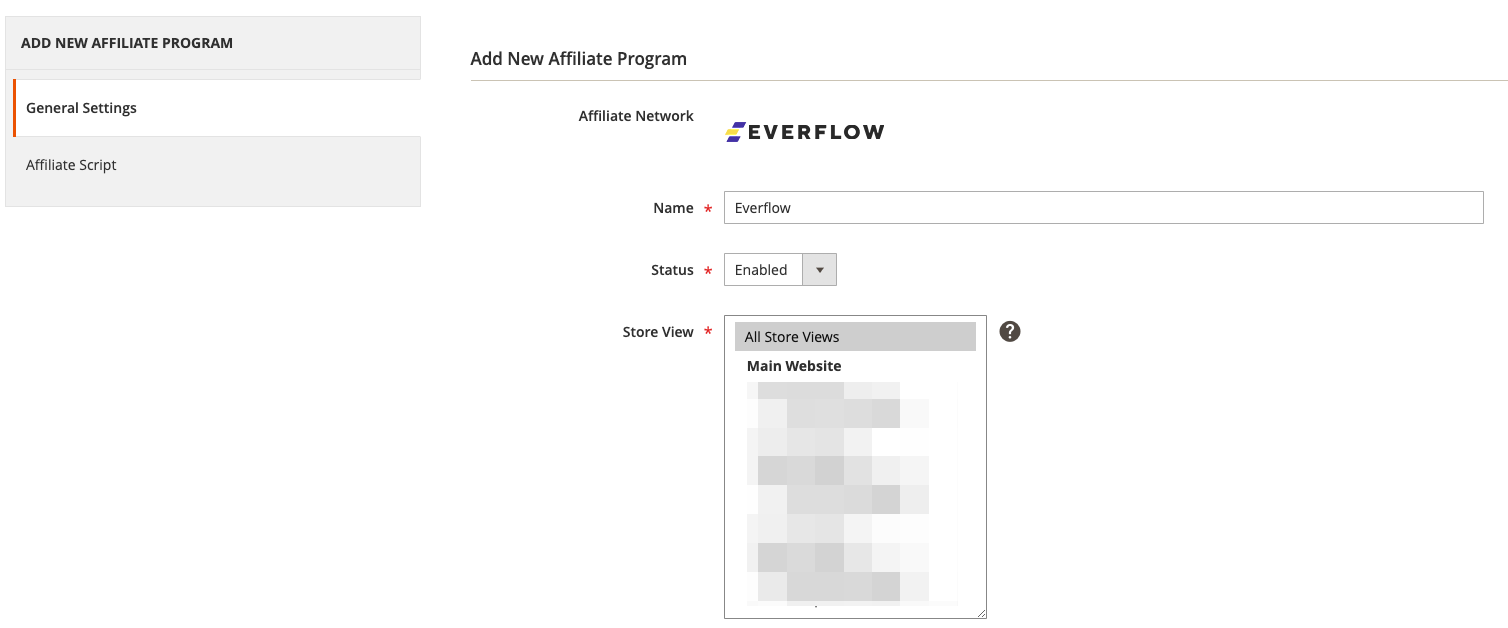
Click Add New Affiliate, select Everflow and click Continue.

Step #4
Under General Settings, enable for All Store Views.
Step #5
Under Affiliate Script, you will need to plug in the Everflow details.
- Enter Advertiser ID and Conversion Domain.
- These can be found on the Offer Page in Everflow. (Advertiser ID: General card , Conversion Domain: Tracking card)
- Under Integration Type, if you select Register each SKU purchase as a Conversion, then you will need to make sure your Everflow Offer allows duplicate conversions.
- This can be done in the Revenue & Payout section of the Offer.

Be sure to enter the same domain for Conversion Domain (under Conversion Tracking above) and Tracking Domain (under Click Tracking below).
Select Yes for Direct Linking. Click Save.


