


.svg)

Overview
Issuing an Affiliate API key to a partner gives them direct, programmatic access to their own reporting, postbacks, offers, and account data. For most networks, the day-to-day reality without API keys is an account manager pulling reports on request — partners ask for last week's conversions, a sub_id breakdown, or an invoice summary, and someone on your team has to go grab it. The Affiliate API exists specifically to make those interactions self-serve.
This article covers when to issue partner API keys, what your partners can do with them, how to create one, and what to monitor afterwards.
Why issue API keys to partners
The day-to-day cost of not having API keys looks roughly like this:
Multiplied across all your active partners, that delta is real ops drag — plus a strategic upside on the partner-stickiness side:
Which partners are good candidates
Not every partner needs an API key, and issuing one to a partner who can't use it adds operational surface area without much upside. Good candidates usually have most of the following:
Skip API access for partners still in onboarding, partners without technical capacity to use the API responsibly, or any partner with open fraud or quality flags.
What partners can do with the key
The Affiliate API gives partners access to the same data and controls they see in Partner Platform, plus a few surfaces that don't have a UI equivalent.
Reporting
Offers & tracking
Postbacks & account
How to issue an API key to a partner
The full walkthrough lives in Partner API Keys & API Documents. The short version:
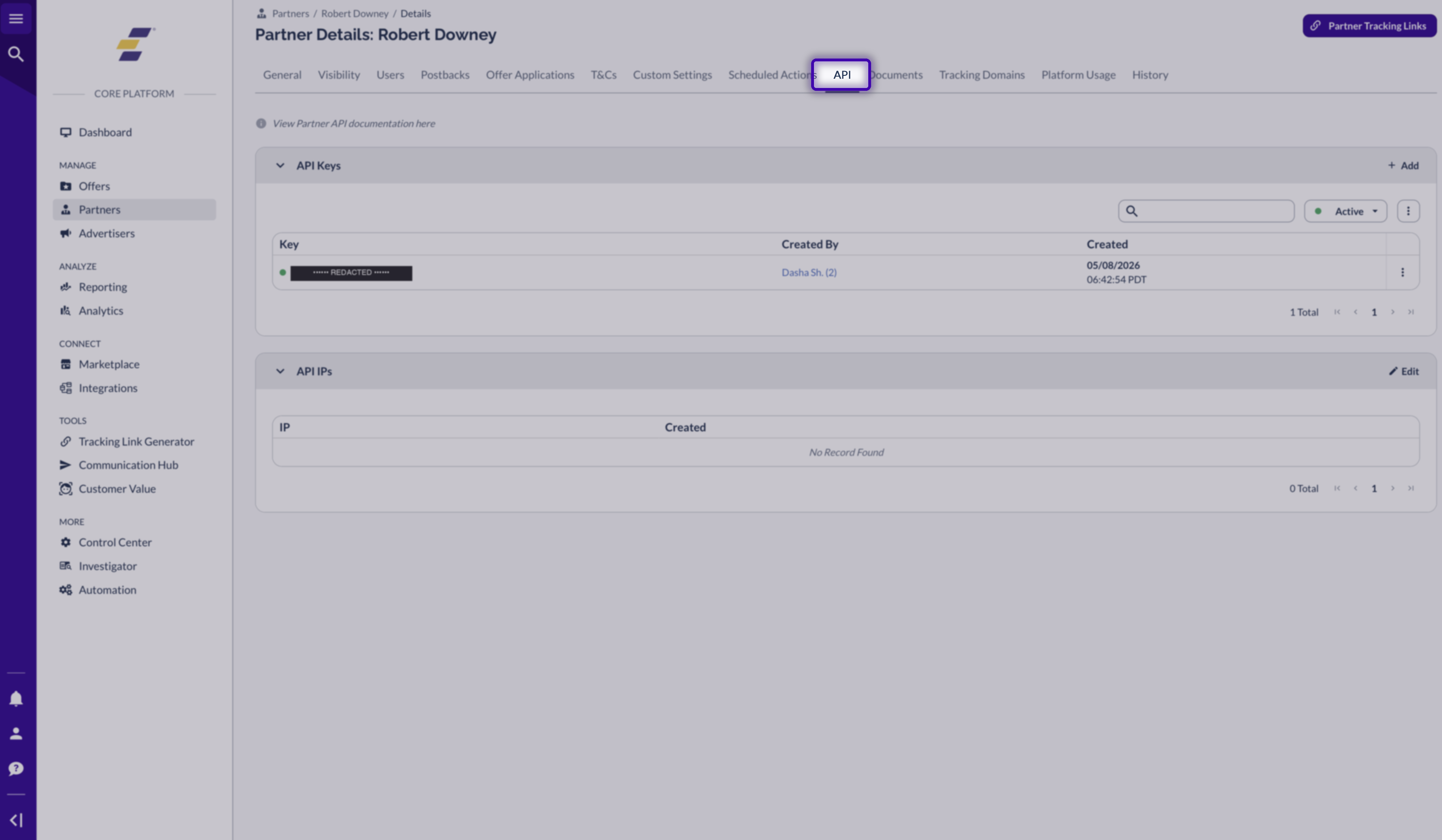
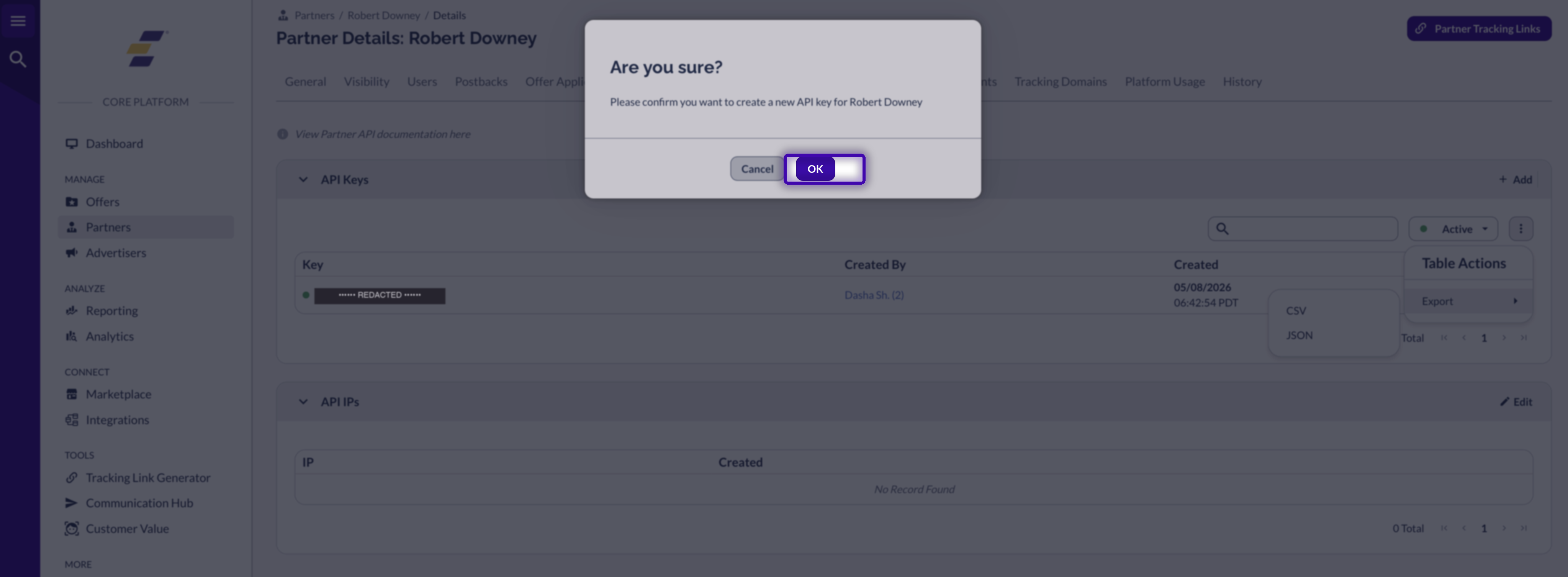
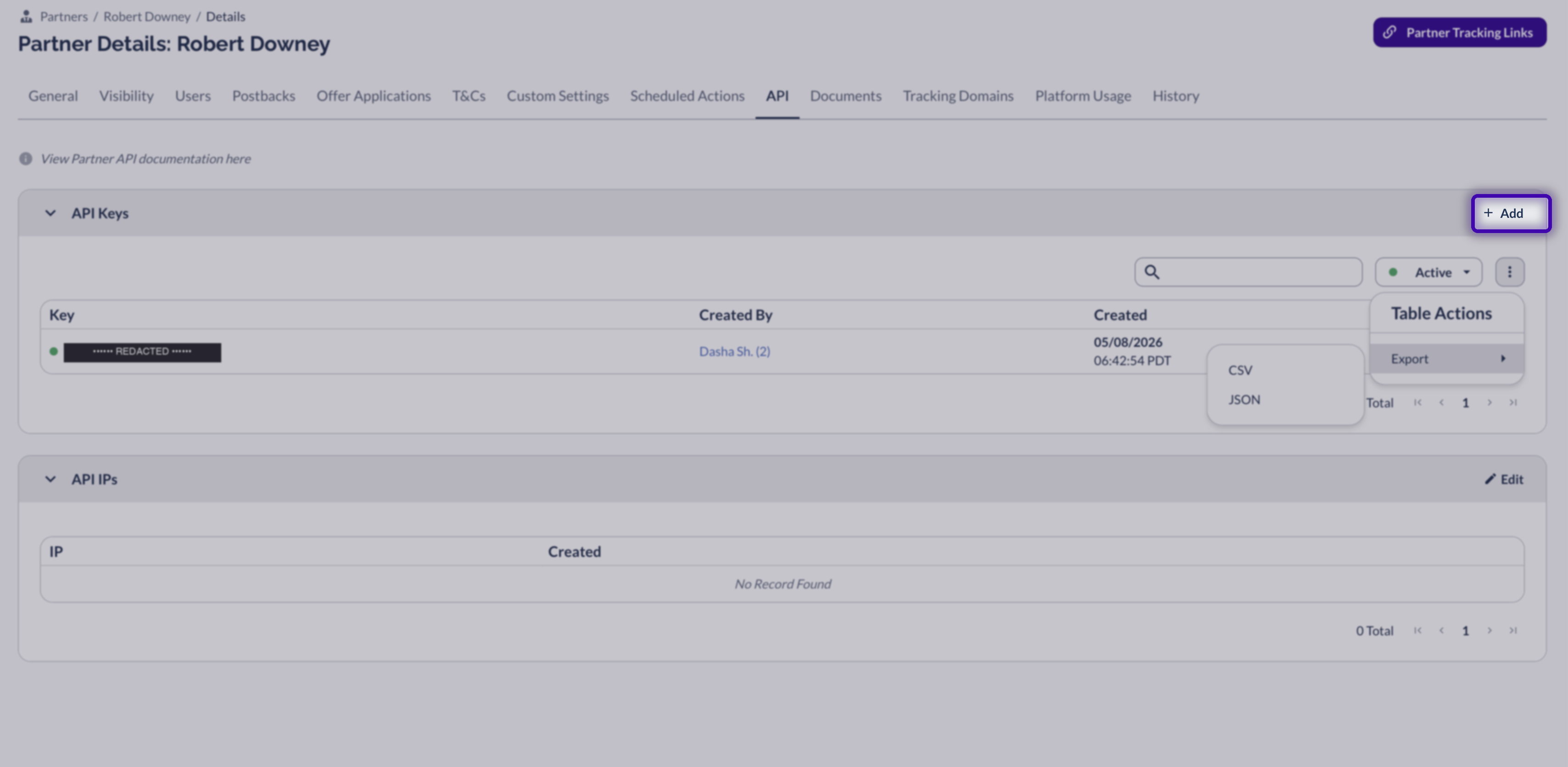
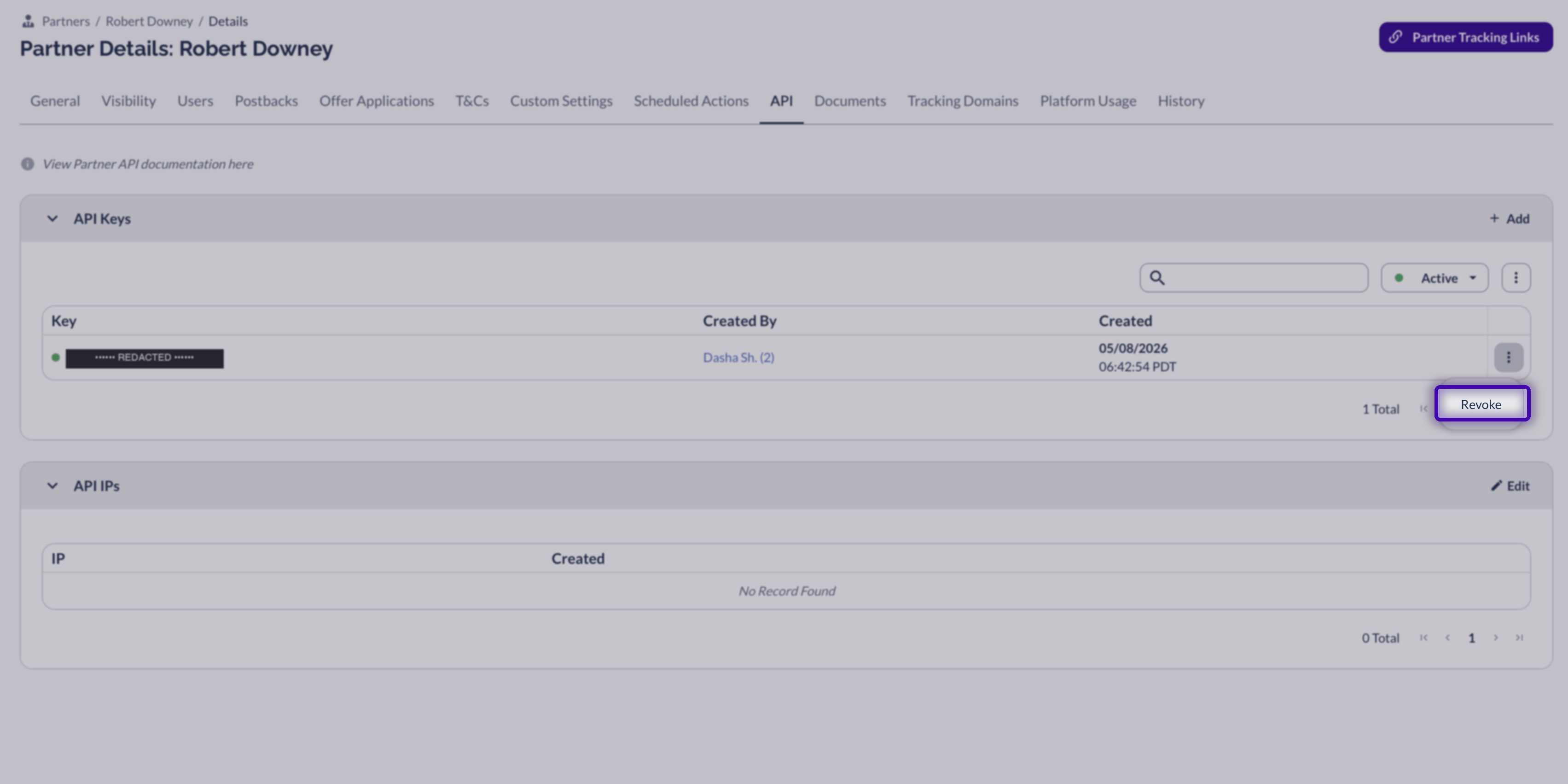
What your partner sees on their end
Once you've issued the key, this is the view your partner lands on inside Partner Platform under
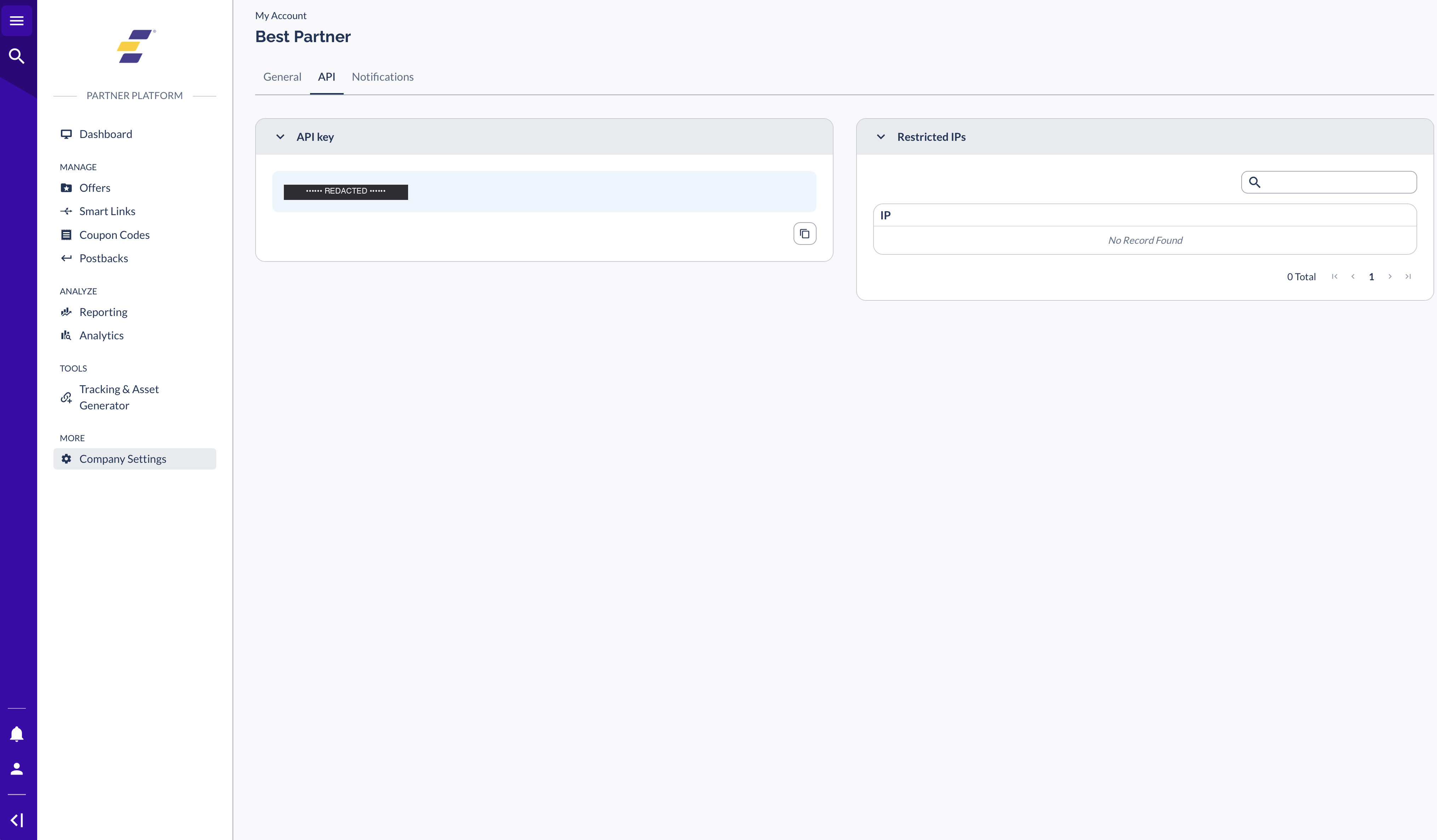
Permissions you need
Creating an Affiliate API key is a privileged action and requires either:
Security & governance
API keys are credentials, and the same handling rules apply that you'd expect for any production credential.
What to send your partner
Once you've issued the key, point your partner at the partner-facing companion article: Using Your Partner Platform API Key. It walks them through where to find the key in their own UI, how to authenticate requests, what they can do with the key, and basic troubleshooting. That keeps your end-of-the-conversation short — "here's your key, here's the doc" — without you having to explain the API surface yourself.
Troubleshooting
The API tab in the partner's My Account section only appears once a key has been issued. Confirm you completed the issuance flow above, then ask the partner to refresh the page.
Rate limits are network-wide, not per-key — resetting or rotating the key won't help. For partners running high-frequency reporting, point them at Firehose, the real-time event stream designed for high-volume use cases. Reach out to your Customer Success contact to enable it.
You can re-share the existing key from the API tab on Partner Details — you don't need to issue a new one. Affiliate keys remain visible to admins after creation specifically for this case.
Revoke immediately from the three-dot menu on the row, then issue a fresh key. Treat it the way you'd treat an exposed password.
The Affiliate API only covers a single partner's scope. If the partner is actually trying to act as an advertiser or admin (e.g., a managed-services partner who runs their own offers on your platform), they need a different key type and a different conversation. See the dev hub references at the bottom of this article for both Network and Affiliate API surfaces.
Technical reference
Two API surfaces are relevant here. The Affiliate API is what your partner will use with the key you just issued. The Network API (Core Platform) is what your own systems use for admin-level operations. Both reference docs live on the developer hub:
More for production integrations
Related help desk articles
Click-by-click walkthrough of the key creation and management flow inside Partner Details.
Read Article →The partner-facing companion. Send this to partners after you issue them a key.
Read Article →Broader security context including IP allowlisting, MFA, and role-level permission management.
Read Article →For partners connected to multiple brands through the Everflow Marketplace — a separate API surface and key type.
Read Article →


