


.svg)

What this is
The Affiliate API is the same data and controls you see in Partner Platform — reporting, postbacks, offers, coupon codes, product feeds — available to your own scripts, dashboards, and tools. Once your network admin shares an API key with you, you can wire your data into anything that speaks HTTP.
What you can build with it
A few of the most common partner workflows we see:
The API key is the passport that lets your tools read and write the same data you see in Partner Platform. Below: how to find yours, how to use it, and what to watch out for.
The Everflow UI uses Partner as the umbrella label — affiliates, publishers, influencers, agency partners all live in the same model. Our developer docs still call it the Affiliate API because the URL path is /v1/affiliates/ — kept that way for backward compatibility so existing integrations keep working. Same surface, two names. If you landed on this page after Googling "Everflow affiliate API," you're in the right place.
Do you have an API key yet?
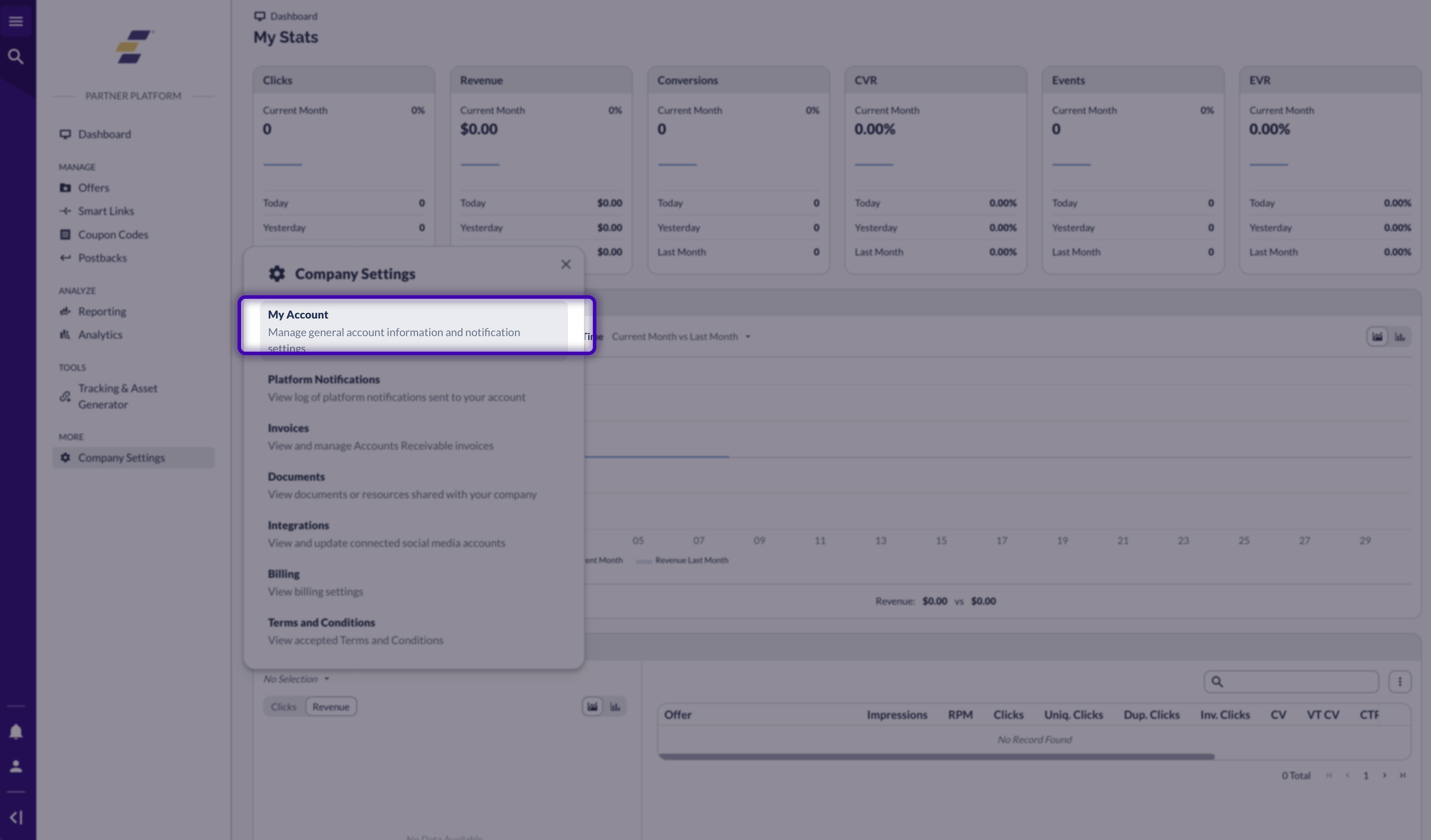
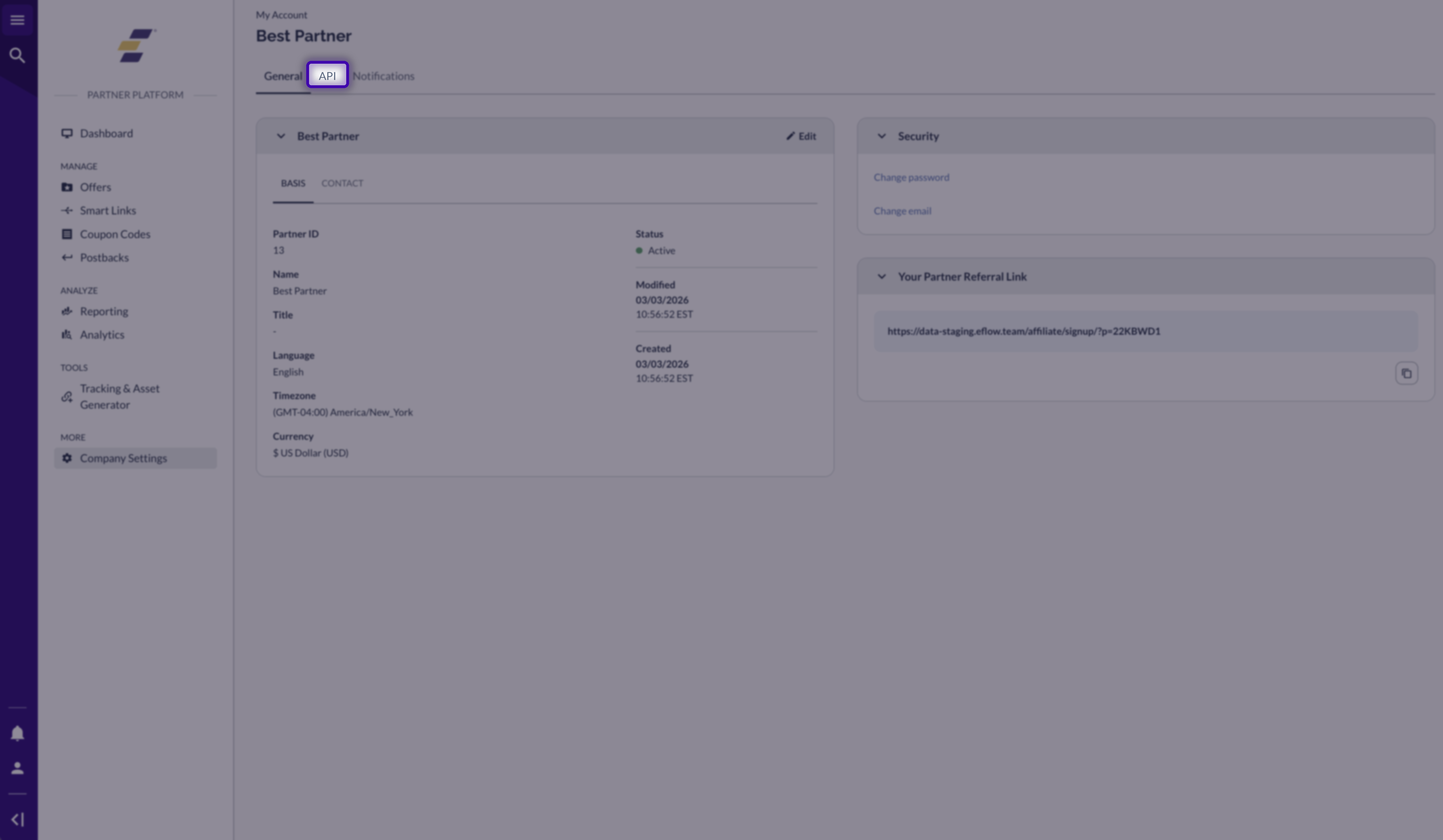
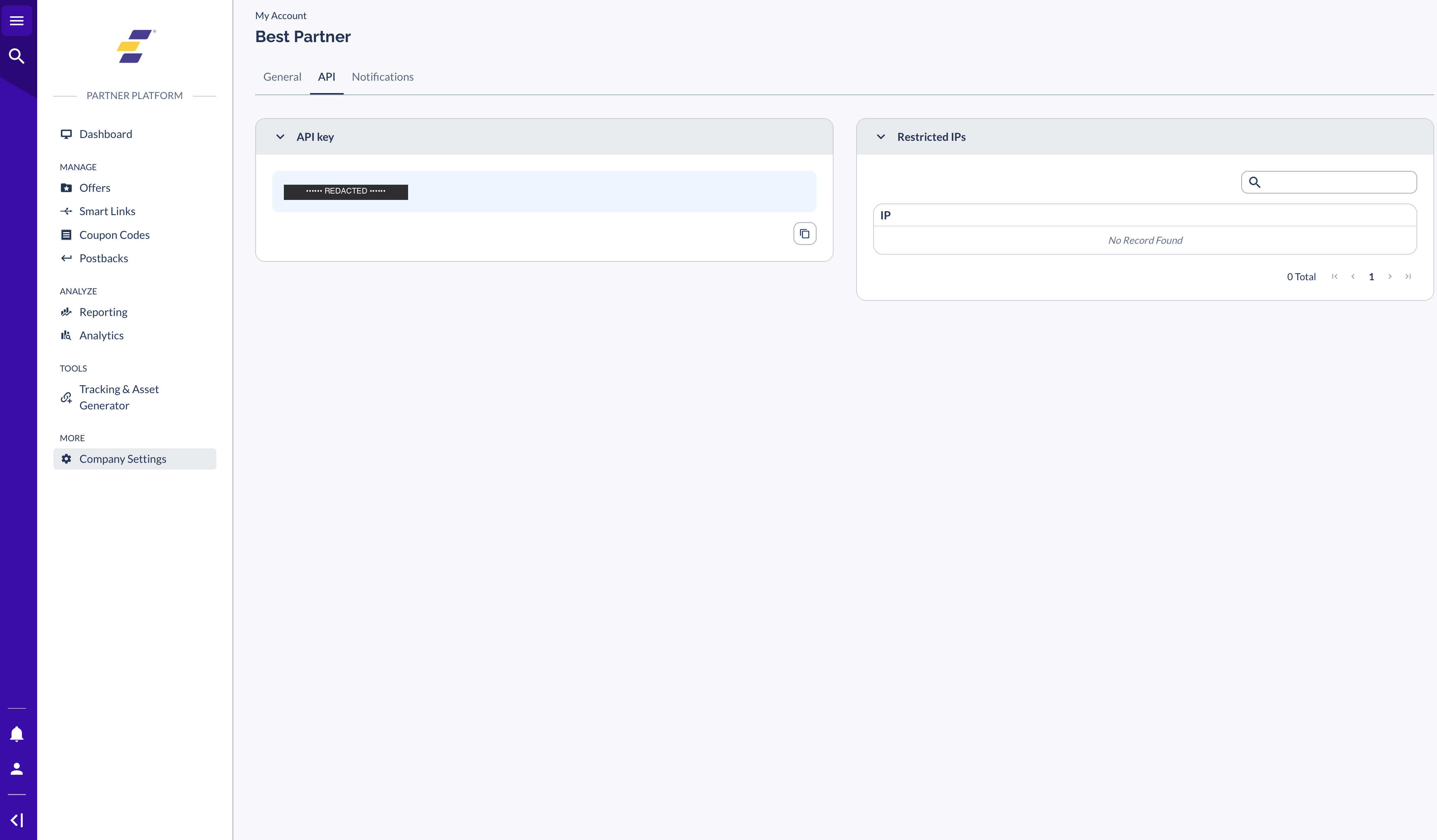
Partners cannot create their own API keys. The brand or network you work with — they use the Everflow Core Platform — has to generate a key for you and share it. If you don't see the API tab in your account (covered below), reach out to your account manager and ask them to add one for you. Once they do, the tab appears with your key inside.
Where to find your API key
Once your account manager has issued a key, follow these steps to find it in Partner Platform.
Using your API key
Authentication header
Send your key in the X-Eflow-API-Key header on every request. Requests without the header (or with a misspelled header name) fail with a 401 No Authentication Method Found.
Base URL
The base URL for the Affiliate API is https://api.eflow.team/v1/affiliates. EU-hosted accounts use https://api-eu.eflow.team/v1/affiliates instead — check with your account manager if you aren't sure which one applies to you.
Example request
Pull a quick dashboard summary to confirm your key works:
# Pull a dashboard summary to confirm your key works
curl -H "X-Eflow-API-Key: YOUR_API_KEY" \
  https://api.eflow.team/v1/affiliates/dashboardsummary
What you can do with it
The Affiliate API covers everything you can see in Partner Platform, plus a few extras. The most-used surfaces, grouped by what you're trying to do:
Reporting
Offers & tracking
Postbacks & account
Connected to multiple brands?
If you work with multiple brands through the Everflow Marketplace, there's a separate Marketplace API that gives you one umbrella view across all of them. It uses a different base path (/v1/partners/) and a different key. Setup walkthrough lives at Managing Your Marketplace API Keys.
Troubleshooting
The header is missing or misspelled. Make sure it's X-Eflow-API-Key (note the dashes), and that the value is your full key with no leading or trailing whitespace.
You're hitting an endpoint that doesn't belong to the Affiliate API. Affiliate keys only work against /v1/affiliates/ paths — they can't access /v1/networks/ (Network) or /v1/advertisers/ (Advertiser) endpoints. Switch to an Affiliate-API endpoint or ask your account manager whether you need a different key type.
Your account manager can re-share the existing key — they don't need to issue a new one. Reach out and ask them to send it again from their side.
Tell your account manager immediately. They can revoke the existing key and issue a new one. Treat an exposed API key the same way you'd treat an exposed password.
Rate limits are network-wide, so resetting your key doesn't change anything. If you're running high-frequency reporting (e.g. polling every few minutes), ask your account manager about Firehose — a real-time event stream that's designed for this use case.
Technical reference
For the full list of endpoints, request/response shapes, and code examples in curl/Python/Node.js, head to our developer documentation. The Affiliate API overview is the right starting point — every endpoint group (reporting, offers, postbacks, etc.) links out from there.


