


.svg)

Before You Start
If your tracking link isn't working the way you expect, don't panic — most link issues have simple fixes. This guide walks you through the most common problems and how to solve them.
Pre-Flight Checks
Before diving into deeper troubleshooting, verify these three things first. They account for the majority of link issues.
- Is the offer still active? — If the offer has been paused, expired, or reached its cap, your link will stop working. Check the offer status in your Offers tab.
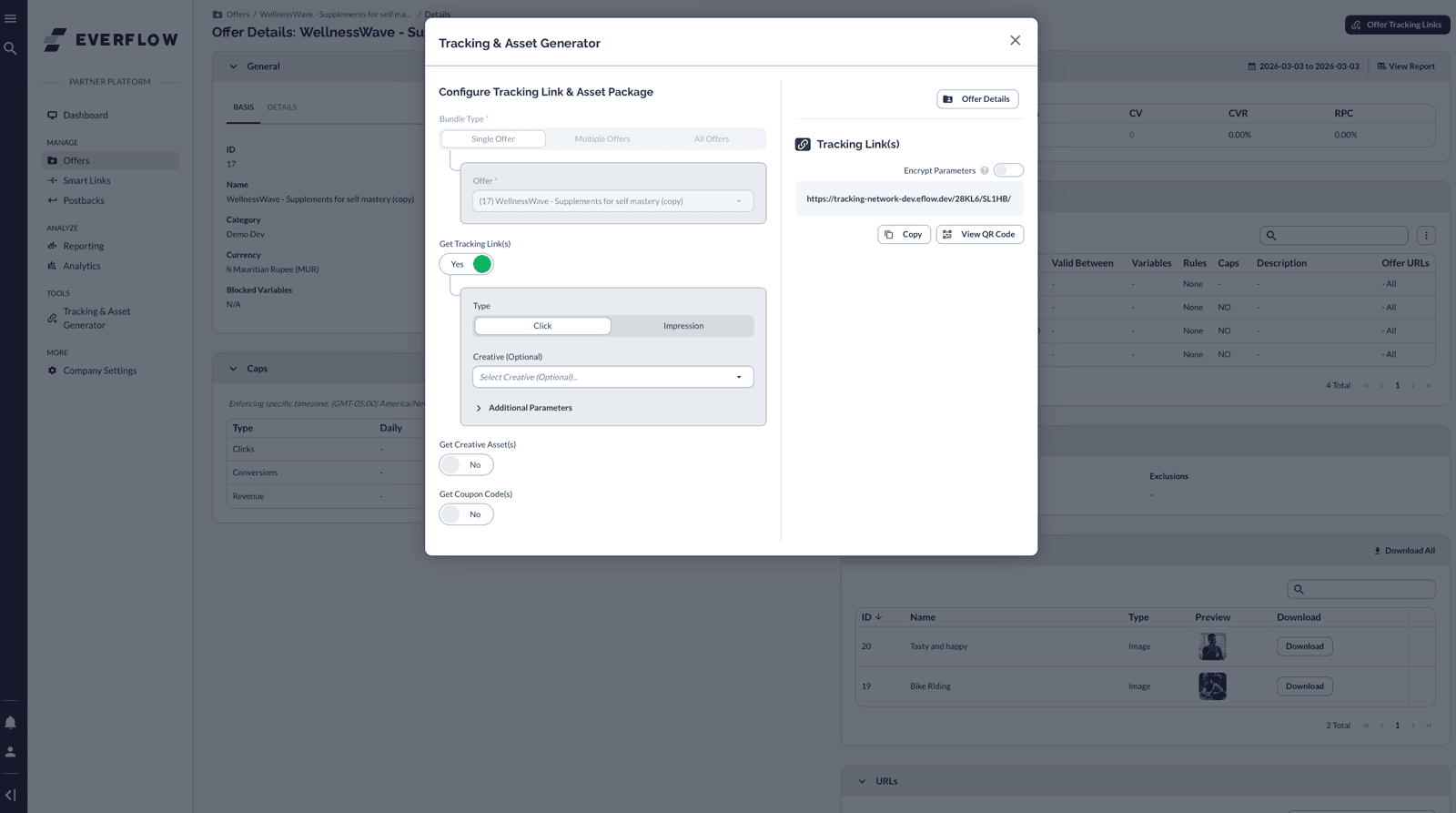
- Are you using a tracking link (not a preview URL)? — This is the #1 cause of "my link isn't working." Preview URLs look similar but don't go through Everflow's tracking. Always generate your link from the Tracking & Asset Generator.
- Do you meet the targeting rules? — Some offers restrict traffic by country, device, or operating system. If you click your link from an excluded location or device, it won't work as expected.
Diagnose Your Issue
What are you experiencing? Find your situation below and follow the fix.
Link loads, but no clicks recorded
You're likely using a preview URL instead of your actual tracking link. Preview URLs bypass Everflow's tracking entirely — your traffic shows as "Others."
Fix: Generate a new link from Tracking & Asset Generator.
Link shows an error page
The offer may have been paused, expired, or hit its conversion cap. Or your traffic doesn't match the offer's geo/device targeting rules.
Fix: Check offer status in your Offers tab. Confirm targeting rules.
Clicks recorded, but no conversions
The postback or pixel may not be configured on the advertiser's side. Or the user didn't complete the required action (purchase, signup, etc.).
Fix: Ask your account manager to verify postback/pixel setup.
Link redirects to the wrong page
The offer's destination URL may have changed, or there's a redirect chain misconfiguration on the advertiser's side.
Fix: Contact your account manager to verify the offer URL.
Traffic showing as "Others"
You're sending traffic through a link that isn't attributed to your partner account. This usually means you copied the wrong URL.
Fix: Re-generate your tracking link. Make sure your Partner ID is in the URL.
"Invalid Link" or parameter error
A URL parameter may have been accidentally modified, truncated, or has incorrect syntax (e.g., missing & between parameters).
Fix: Re-generate a fresh link. Don't manually edit tracking URLs.
How to Test Your Link
Before sending any real traffic, always test your tracking link. Here's the process:
- Open a private/incognito browser window (this avoids cached cookies from previous clicks).
- Paste your full tracking link into the address bar and press Enter.
- Confirm the landing page loads correctly — you should see the advertiser's website.
- Go back to Everflow and open the Click Report.
- Look for your test click — it should appear within a few seconds with your Partner ID.
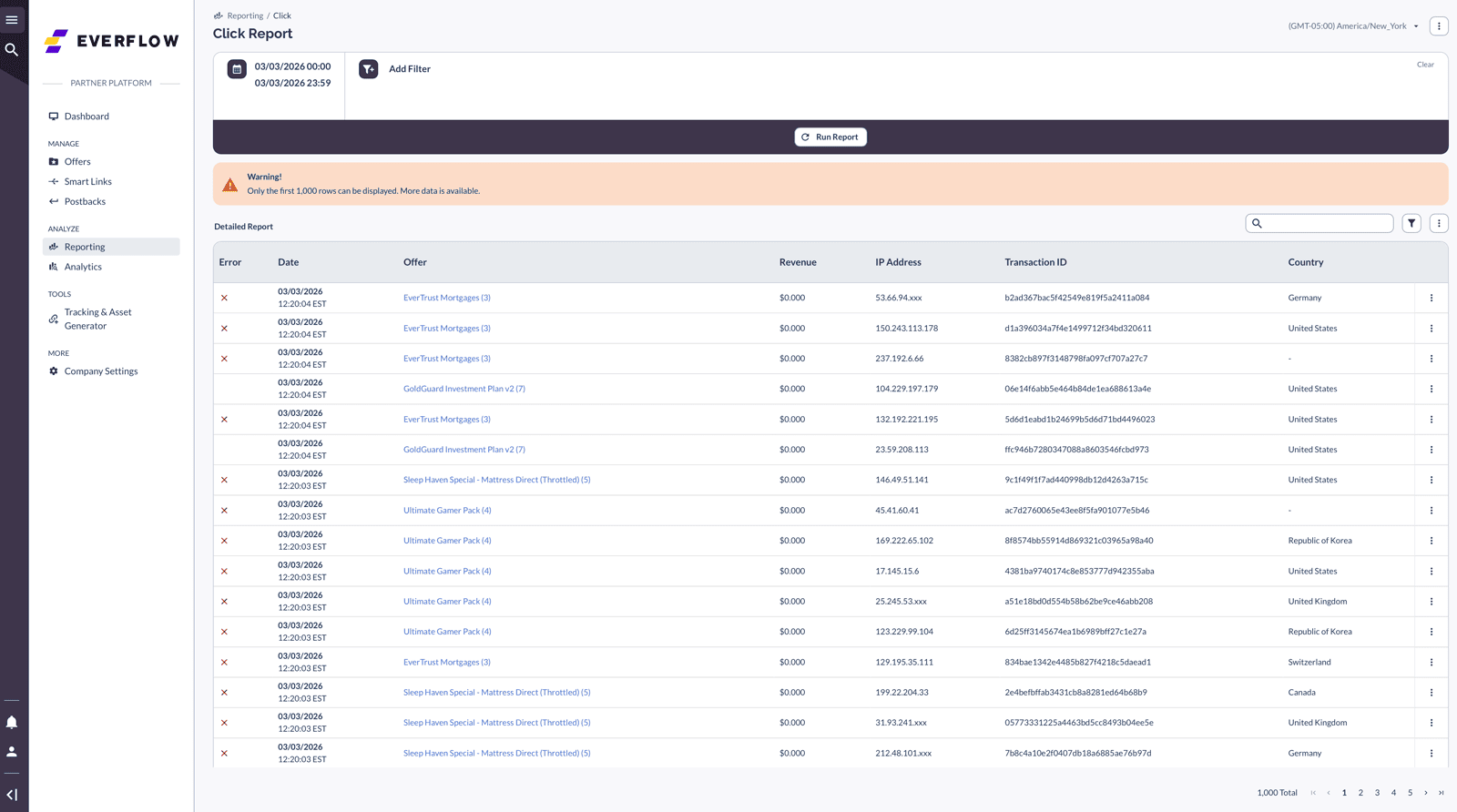
If the click doesn't appear, go back to the Pre-Flight Checks section and verify your link is a real tracking link, not a preview URL.
Once your clicks are confirmed, open the Conversion Report to verify your conversions are being matched to those clicks. Look for matching Transaction IDs and check the status column.

Always test links in an incognito/private browser window. Cached cookies from previous sessions can interfere with your results and make it look like your link isn't working when it actually is.
When to Contact Support
If you've gone through the checks above and your link still isn't working, it's time to reach out. When you do, include this information to get a faster resolution:
- Your full tracking link (copy the entire URL)
- What you expected to happen vs. what actually happened
- The browser and device you tested on
- A screenshot of the error (if there is one)
- Whether the issue affects all offers or just one specific offer
Related Articles
- How To Get Tracking Links & Creative Assets — Learn how to generate the correct tracking link for any offer.
- How Everflow Tracking Works — Understand the full click-to-conversion journey behind the scenes.
- Managing Postbacks As A Partner — Set up and verify server-to-server conversion tracking.
Capturing Console Errors
If a link or landing page is behaving unexpectedly, the browser's developer console often reveals the underlying error. This is one of the most useful pieces of information to include when you contact support.
- Open the page in your browser, then open the developer tools (right-click anywhere on the page and choose Inspect, or use your browser's developer-tools shortcut).
- Select the Console tab.
- Reload the page so any errors are captured as it loads.
- Take a screenshot of any red error messages that appear and include it with your support request.
Cookie-Based Tracking Checks
If you're using cookie-based tracking and conversions aren't being recorded, confirm the setup below. Small mismatches in domain or settings are the most common cause.
- Conversion method is set to Cookie-based — Confirm this is the intended tracking method for the offer.
- Force SSL is on — The tracking link and conversion pixel should both be served over HTTPS.
- Domains match — The tracking link must use the same domain as the conversion pixel. A mismatch prevents the cookie from being read back at conversion time.
- Offer ID (OID) matches — The OID in the conversion tag must match the OID of the offer you're promoting.
Custom Landing Page Settings
Custom Landing Pages let you override an offer's destination based on your traffic. If yours isn't behaving as expected, check the points below.
- Custom Landing Pages only work with Everflow redirect links. — They do not apply to direct links. If you're using direct linking, the custom landing page will not override the base destination URL.
- Source ID rules accept a single value. — When targeting a Custom Landing Page by Source ID, you can only match one value at a time. For example, "Source ID contains 37431" works, but "Source ID contains 37431, 39900" does not — comma-separated lists are not supported.


