Home
Marketplace Platform
Managing Marketplace Connections
Exporting The Advertiser Report

Exporting The Advertiser Report

Download the Marketplace Platform Advertiser Report as a file, and understand what the export includes.

Overview

The Advertiser Report in the Marketplace Platform shows how each advertiser you work with is performing, and breaks that down by offer underneath. You can now download the whole thing as a file instead of reading it on screen or copying rows out by hand.

The Earnings Report has had an export for a while. This brings the Advertiser Report in line with it.

Exporting The Report
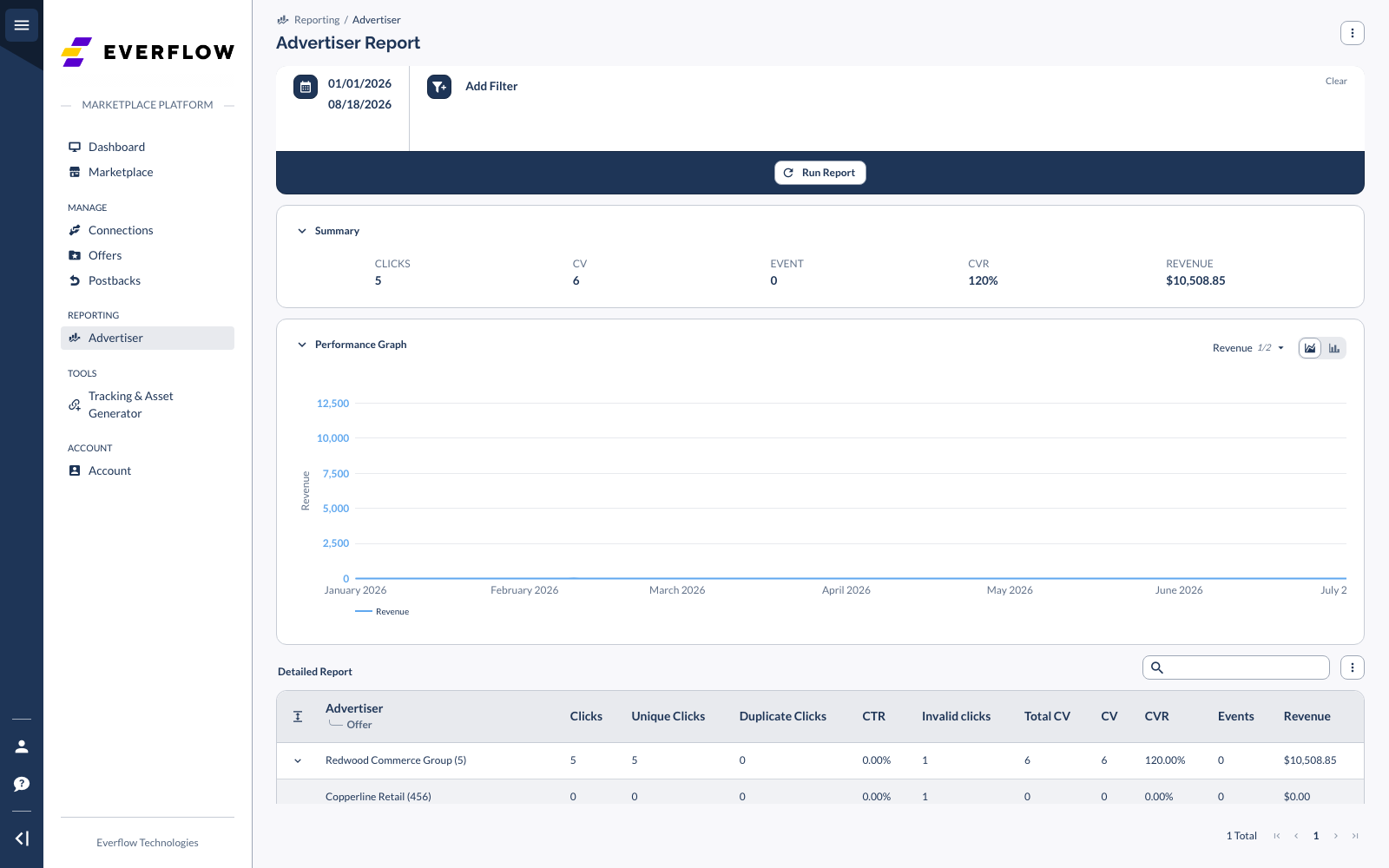
Go to Reporting → Advertiser in the left menu of your Marketplace Platform account Set the date range, add any filters you want, and click Run Report Scroll to Detailed Report and open the actions menu at the top right of the table Choose Export
The Advertiser Report in the Everflow Marketplace Platform, showing the date range, summary, performance graph and the Detailed Report table

What You Get In The File

Every column, every time

Hiding a column on screen does not remove it from the export The file always contains the full set of columns below, even the ones you have hidden in your table settings. The screenshot above shows eleven columns on screen; the export has sixteen. If your account does not include the impressions package, those cells still appear, filled with 0 or - rather than being left out. That way one export is always the same shape as the next.

Rows

The first row is the grand total across everything in your current view Then advertiser rows, each followed by its offer rows, matching the way the report expands on screen On an advertiser row the offer name and offer ID are blank, because that row is the advertiser’s total

Identity columns

These arrive as separate columns, not as the single combined label you see in the table.

ColumnSends asAdvertiser Nameadvertiser nameAdvertiser IDnetwork_idOffer Nameblank on advertiser rowsOffer IDnetwork_offer_idCurrencycurrency_id

Metric columns

ColumnSends asImpressionsimpClickstotal_clickUnique Clicksunique_clickDuplicate Clicksduplicate_clickCTRctrInvalid Clicksinvalid_clickTotal Conversionscv + view_through_cvConversionscvView-Through Conversionsview_through_cvCVRcvrEventseventEVRevrRPCrpcRPMrpmRevenuerevenueRedirect Traffic Revenueredirect_traffic_revenue
Explore Related Content More on reporting in the Marketplace Platform:

The Marketplace Earnings Report, for what you have been paid and by whom.

Next in This Series